Understanding SCORM 2004 Completion Status and Success Tracking
Learning management system administrators frequently encounter highly confusing reporting errors. Specifically, a learner might finish an entire digital course but fail the final assessment completely. However, the system might incorrectly report the user as fully certified. Alternatively, a learner might pass the final quiz perfectly but remain trapped in an incomplete status. Therefore, these massive reporting failures stem directly from misunderstanding the scorm 2004 completion_status variable. Resolving these discrepancies requires understanding exactly how modern standards separate course progress from mastery. First, we must explore the historical context behind these technical changes. Ultimately, mastering these variables ensures perfectly accurate compliance reporting natively.
Key Takeaways

Separate the Variables:
Understand that completion and success track completely distinct metrics within modern learning systems.
Track Learner Progress:
Use completion status strictly to measure if the learner actually finished viewing the required course slides.
Measure Assessment Scores:
Use success status exclusively to measure if the learner officially passed the final knowledge quiz.
Avoid Overwriting Data:
Prevent authoring tools from sending conflicting status values upon course exit by configuring your publishing settings perfectly.
Master Status Mapping:
Configure your learning management system to interpret these dual variables correctly for accurate compliance reporting.
The Problem with Legacy Status Tracking
The Single Variable Limitation
Understanding the current technical landscape requires examining previous digital learning standards. First, legacy systems utilized a highly restrictive single variable for status reporting. Specifically, older frameworks relied entirely on the core lesson status element. Therefore, this forced developers to choose between tracking participation or academic performance. If a learner viewed every slide but failed the quiz, the tool faced a dilemma. Consequently, reporting a completed status hid the failed quiz score from the instructor. Alternatively, reporting a failed status implied the learner never finished viewing the mandatory material. Ultimately, this technical limitation caused massive compliance nightmares globally.
Enter the Dual Variable Architecture
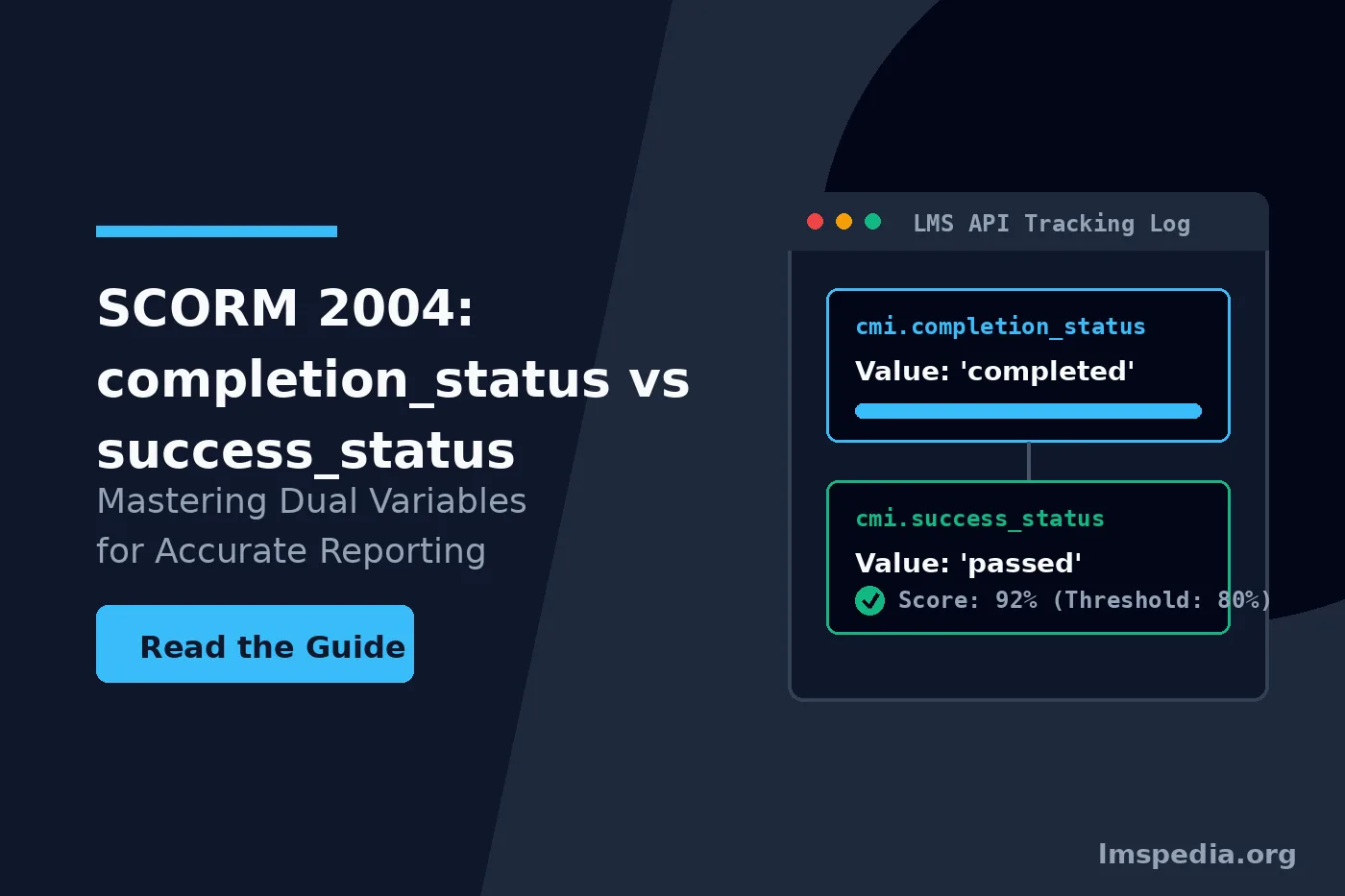
Defining the scorm 2004 completion_status
The Advanced Distributed Learning Initiative overhauled this flawed reporting structure completely. They realized tracking learner progress and measuring academic success represent fundamentally different concepts. Therefore, they introduced independent data elements to handle these distinct functions perfectly. First, the scorm 2004 completion_status variable strictly measures physical progress through the digital content. Specifically, it ignores quiz scores, passing thresholds, and overall academic mastery. It solely tracks whether the user experienced the required instructional material. Furthermore, this variable accepts only four strict vocabulary values. These specific values include unknown, not attempted, incomplete, and completed.
Defining the cmi.success_status
Conversely, the cmi.success_status variable strictly measures academic mastery. First, it completely ignores slide views or time spent in the module. Specifically, it only evaluates whether the learner achieved the established passing threshold. Furthermore, this specific variable accepts only three strict vocabulary values natively. These values include unknown, passed, and failed. Consequently, this clear separation resolves historical ambiguity surrounding corporate compliance reporting perfectly. Next, developers must map these variables correctly within their authoring environments. Furthermore, integrating writing measurable learning objectives into your design guarantees clear pass or fail outcomes.
Prioritize Success over Completion
When building high-stakes compliance courses, you must configure your learning management system to prioritize the success status heavily. The overarching status must display as failed to prevent uncertified employees from operating dangerous equipment.
Analyzing completion vs success scorm 2004
You must understand how these two variables operate simultaneously. First, a modern learning management system receives both data points independently upon course exit. Next, the LMS synthesizes these two distinct variables to display a final status. This specific interaction forms the core of the completion vs success scorm 2004 debate. Consider a highly typical corporate compliance course containing instructional slides and an exam. Specifically, the learner clicks through all thirty slides diligently. Therefore, the authoring tool sends a completion status of completed. Next, the learner fails the final exam completely. Consequently, the authoring tool sends a success status of failed.
| Scenario Description | Reported Completion Status | Reported Success Status | Typical LMS Display Result |
|---|---|---|---|
| Viewed all slides and passed the quiz. | Completed | Passed | Certified / Passed |
| Viewed all slides but failed the quiz. | Completed | Failed | Failed / Retake Required |
| Skipped slides but passed the quiz. | Incomplete | Passed | Incomplete / Finish Content |
| Skipped slides and failed the quiz. | Incomplete | Failed | Incomplete / Failed |
Tool Comparison for SCORM 2004 Status Mapping
Authoring tools give instructional designers immense control over these reporting variables. However, this immense control frequently leads to severe configuration errors. First, you must configure your exact mapping rules correctly before publishing. Specifically, different platforms handle data transmission differently. Therefore, choosing the correct software prevents conflicting data transmission upon course exit. Next, we compare three platforms managing enterprise learning data. Consequently, you can choose the software that best fits your technical requirements.
| Platform | Dual Variable Mapping | Rollup Rule Configuration | Primary Target Audience |
|---|---|---|---|
| SimpliTrain | Deep native status mapping | Automated complex rollup logic | Enterprise LMS administrators |
| Articulate 360 | Standard four-option menu | Basic manifest generation | Traditional instructional designers |
| Adobe Captivate | Advanced variable triggers | Manual manifest editing | Technical software developers |
Configuring Authoring Tools Correctly
Articulate Storyline Configuration
When publishing a project, you must open the specific tracking options menu. The software presents four distinct reporting combinations natively. First, the Passed/Incomplete setting forces the software to prioritize the assessment score exclusively. Next, the Passed/Failed setting reports strict academic success while overwriting completion data. Furthermore, the Completed/Incomplete setting tracks physical progress while ignoring assessment scores completely. Finally, the Completed/Failed setting represents a legacy hybrid approach causing massive data conflicts. Therefore, you must select your option based on your specific testing strategy. Ultimately, consulting technical W3C guidelines helps clarify these data interactions.
Setting Course Triggers
To leverage the dual variable architecture perfectly, you should track courses using specific triggers. First, set a trigger to complete the course when the timeline ends. Specifically, place this trigger on the final instructional slide before the assessment. Next, set the final results slide to transmit the quiz score directly. Therefore, both variables transmit cleanly without overwriting each other simultaneously. Furthermore, reading an AI course authoring tools compared guide reveals how modern software automates this process natively. Ultimately, precise trigger placement prevents frozen learner statuses permanently.
Avoid the Completed/Failed Trap
Never use the Completed/Failed reporting option in your authoring tool if you include a final quiz. This setting sends contradictory data to the LMS, telling the system the learner finished the work but failed the task simultaneously.
Understanding SCORM 2004 Pass Fail Logic
The Function of Rollup Rules
The learning management system possesses a specific engine designed to interpret incoming data. First, this engine utilizes strict scorm 2004 pass fail logic natively. Specifically, the system relies heavily on a technical concept called rollup rules. Complex digital curriculums often contain multiple distinct modules within a single package. Therefore, rollup rules dictate exactly how individual child statuses combine into a parent status. For example, a parent course might require all three child modules to pass independently. Consequently, proper configuration guarantees accurate certification logic globally.
Manifest File Configuration
If you fail to configure rollup rules correctly within your XML manifest, problems arise. First, your LMS will guess the intended outcome algorithmically. Specifically, LMS algorithms guess poorly during complex curriculums. Therefore, learners might receive full credit for completing only partial material. Furthermore, administrators must explicitly define specific rollup logic to maintain corporate compliance standards. Next, deploying a rigorous computer system validation for an LMS guarantees these rules function correctly under audit conditions. Ultimately, precise manifest configuration prevents catastrophic auditing failures.
Troubleshooting Common Reporting Errors
The Course Stuck on Incomplete
Even with perfect authoring tool configuration, LMS reporting errors occur frequently. First, you must understand how to diagnose these technical failures rapidly. The most common error involves a learner passing the final assessment but remaining trapped. Specifically, this usually occurs because the learner closed the browser too quickly. The browser terminated before the authoring tool could execute the completion command. To resolve this completely, read our guide analyzing why SCORM courses don’t mark complete thoroughly. Therefore, placing triggers slightly earlier resolves this timing issue efficiently.
The False Positive Completion
Conversely, a learner might fail the final assessment but receive a certificate immediately. First, this catastrophic failure occurs when tools publish using the Completed/Incomplete setting exclusively. Specifically, because the tool ignores the quiz score entirely, the LMS registers false completion. Therefore, the system grants the certificate erroneously to unqualified personnel. Furthermore, you must always use a setting that transmits the cmi.success_status actively. Consequently, you prevent untrained employees from operating dangerous equipment. Ultimately, protecting workplace safety relies heavily on accurate data reporting.
Check the LMS Communication Logs
When troubleshooting completion errors, always export the raw LMS communication logs. These logs reveal exactly which variables the authoring tool transmitted just before the browser window closed.
The Future of Status Tracking
While the dual variable architecture solved massive problems initially, the industry evolves rapidly. First, newer standards completely abandon the strict vocabulary of traditional management systems. Specifically, they utilize flexible data structures approved by IEEE standards natively. Furthermore, instead of relying on predefined variables, developers send highly customized statements globally. Therefore, traditional frameworks remain the absolute backbone of global corporate compliance today. Next, you must audit your current digital library continuously. Furthermore, establishing 21 CFR Part 11 audit trails for training systems secures your legacy data permanently. Ultimately, ensuring legacy courses utilize dual variables correctly protects your organization.
Conclusion
Mastering the scorm 2004 completion_status variable is absolutely critical for modern training professionals. First, you must explicitly separate physical course progress from actual academic mastery. Specifically, utilizing the cmi.success_status to track assessment scores generates incredibly accurate compliance reports natively. Furthermore, you must configure your specific authoring tools meticulously to prevent conflicting data transmission. Therefore, understanding nuanced completion vs success scorm 2004 dynamics ensures your environment remains completely reliable. Ultimately, perfect data architecture aligns perfectly with strict federal regulatory expectations globally.
FAQ
What is the difference between completion_status and success_status?
The completion status explicitly measures whether a learner physically progressed through the required digital content, such as viewing all mandatory slides. The success status strictly measures academic performance, determining whether the learner passed or failed the final knowledge assessment based on a specific mastery score.
Why did SCORM 2004 introduce two separate variables?
Older standards used a single variable that forced instructional designers to choose between tracking attendance or tracking academic grades. The dual variable architecture was explicitly introduced to allow learning platforms to record both physical progress and academic mastery simultaneously without data conflict.
How do I fix a course that is stuck on an incomplete status?
This error typically occurs when the final slide closes before the authoring tool can send the final completion signal to the server. You can resolve this easily by moving the specific completion trigger to occur one slide prior to the final exit slide, ensuring the data transmits completely.
What happens if my course does not report a success_status?
If a course does not explicitly report a success status, the learning management system leaves the value at its default state of unknown. Consequently, the LMS will only use the completion status to grade the user, potentially marking them as certified even if they failed the internal course quiz entirely.