
Course Schema Markup and Structured Data for Commercial Training Providers
Commercial training organizations and education providers operate in an intensely competitive search environment. When prospective learners, corporate training buyers, and HR managers search Google for professional certifications, leadership seminars, or compliance workshops, standard blue text links often get lost in the noise. To capture high intent organic traffic, commercial training businesses must secure Google Rich Results. Achieving this visibility requires implementing structured data natively, specifically course schema markup. Furthermore, leveraging core training management system features ensures comprehensive platform coverage.
Search engines rely on structured code to interpret what your training program entails, who teaches it, how much it costs, and when the next cohort starts. By embedding standardized vocabulary from Schema.org directly into your web pages, you transform an ordinary course listing into an interactive, visually rich search snippet. In this comprehensive technical guide, we will explore the architecture of course structured data, examine the critical differences between Course and courseinstance schema, and provide valid JSON-LD templates to help you dominate search engine results pages.
Before implementing structured data across your web assets, it is essential to align your technical search optimization with your broader marketing and operations. High visibility in search must be supported by streamlined enrollment workflows. To ensure your landing pages are primed for conversions, review our framework on writing training course descriptions that convert browsers into buyers. Furthermore, to understand how automated course publishing connects with your back office scheduling, explore our guide on the best training management software available for commercial providers today.
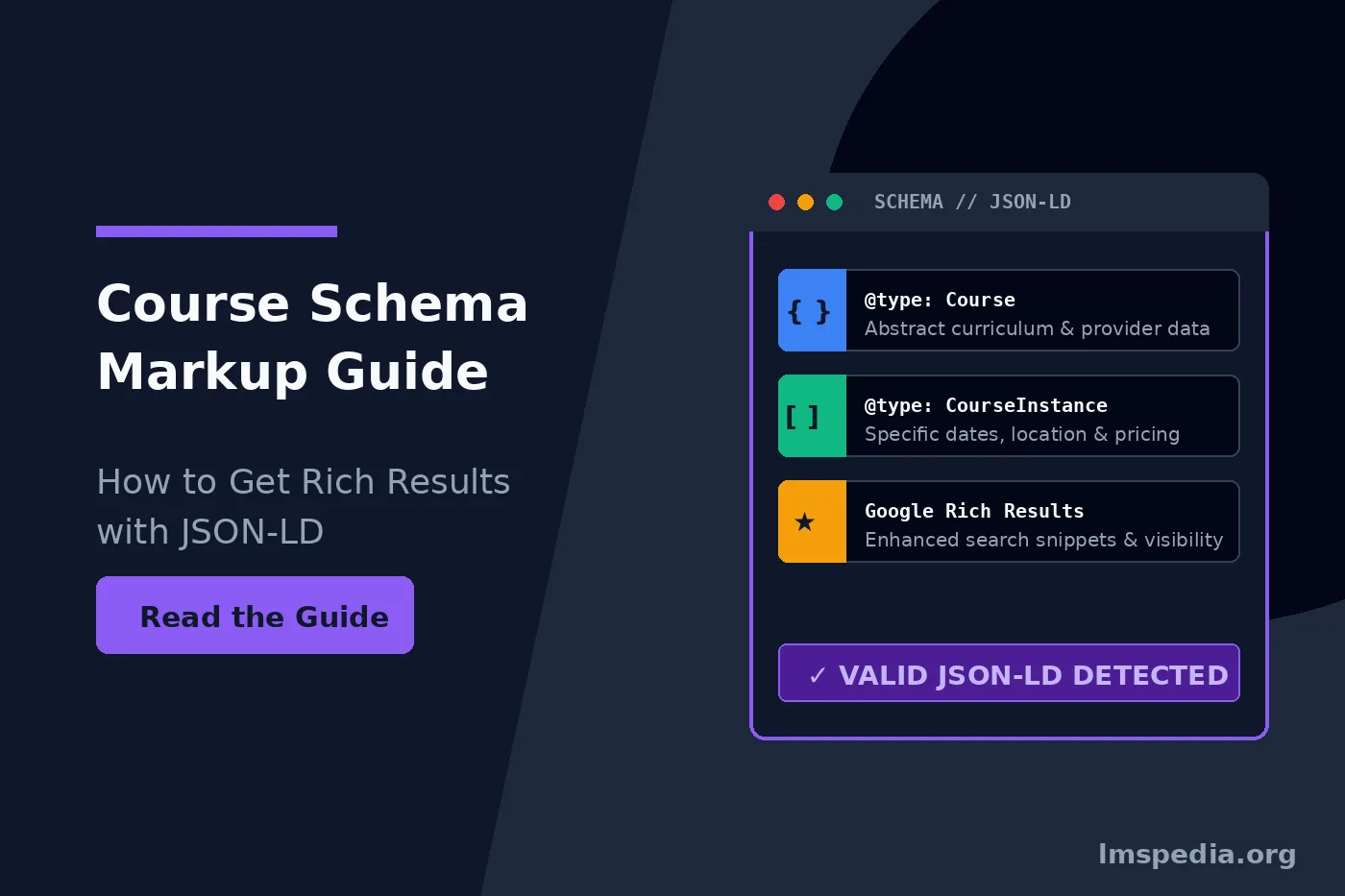
Understand the Core Distinction: Differentiate between the abstract Course entity (curriculum, learning outcomes, provider) and the dynamic CourseInstance entity (specific dates, location, instructor, pricing). Adopt Google Recommended JSON-LD: Implement structured data using clean, head-embedded JSON-LD scripts rather than brittle inline Microdata or RDFa formats. Format Dates to ISO 8601: Always provide start and end timestamps in strict ISO 8601 format with explicit timezone offsets to prevent indexing errors. Avoid Search Spam Penalties: Ensure all structured data properties (especially pricing, dates, and course titles) match the visible content rendered on the page exactly. Automate Schema with a TMS: Connect your course catalog to an enterprise training management system to dynamically generate and update schema as sessions are scheduled or sold out.
Key Takeaways

What is Course Schema Markup and Why It Matters
Schema markup is a standardized semantic vocabulary recognized by major search engines, including Google, Bing, Yahoo, and Yandex. Developed collaboratively through Schema.org, this code provides search engine crawlers with explicit clues about the meaning of page content. When you apply course schema markup to an educational page, you explicitly tell Google that the page is not merely an article or a generic product, but a structured educational offering.
For training providers, the primary benefit of structured data is gaining access to specialized search features. When Google parses valid educational schema, it can display your courses in rich snippets, dedicated carousels, and course search experiences. Just as content developers utilize strict standards for learning packages, which you can read about in our What is SCORM guide, web developers must use strict data standards to communicate with search algorithms.
These enhanced listings provide significant competitive advantages for commercial training businesses:
-
Increased Click Through Rates: Rich snippets occupy significantly more visual real estate than standard organic listings, drawing the searcher’s eye and driving higher engagement.
-
Higher Intent Traffic: Prospective buyers see key logistical details such as price, prerequisites, and schedules before clicking, resulting in more qualified leads arriving on your landing page.
-
Voice Search and Knowledge Graph Integration: Structured data allows conversational AI engines and voice assistants to accurately parse and recommend your courses for relevant voice queries.
-
Faster Indexing of Schedule Changes: When you update session dates or pricing within structured data, search crawlers detect and display those updates in search results faster.
The Structural Difference: Course vs CourseInstance Schema
One of the most frequent technical mistakes made by web developers and training marketers is confusing the abstract educational course with its specific scheduling instances. Schema.org solves this by providing two distinct, nested entity types: Course and CourseInstance. Understanding the relationship between these two entities is critical for creating schema that complies with Google guidelines. Official specifications are detailed in documentation from Google Search Central.
Understanding the Abstract Course Entity
The Course entity represents the conceptual educational offering. It describes what is taught, the overarching curriculum, the educational credentials awarded, and the organization delivering the training. The Course entity exists independently of dates, instructors, or physical classrooms. For example, Project Management Professional Exam Prep is a Course. Its learning objectives, syllabus, and provider remain constant regardless of whether a class is held on a Monday morning in Chicago or streamed live on a Saturday afternoon.
Understanding the CourseInstance Entity
Conversely, the CourseInstance entity represents a concrete, scheduled offering of that course. It contains temporal and spatial specifics: start dates, end dates, delivery format, instructor assignments, language of instruction, and individual seat pricing. A single Course can have dozens of associated CourseInstance entries representing upcoming public cohorts, evening webinars, or on-site client sessions.
When engineering schema for training providers, you nest one or multiple CourseInstance objects inside the parent Course object using the hasCourseInstance property. This dual layer structure gives search engines a complete, unambiguous map of your training catalog. Furthermore, evaluating tools like AI generated assessments helps enhance curriculum design.
| Data Dimension | Course Entity (Abstract) | CourseInstance Entity (Specific) |
| Core Purpose | Defines curriculum, learning outcomes, and subject matter. | Defines schedule, delivery mode, pricing, and venue. |
| Key Properties | name, description, provider, courseCode, educationalCredentialAwarded. | startDate, endDate, courseMode, location, instructor, offers. |
| Lifecycle | Permanent; remains static across multiple quarters or years. | Ephemeral; expires once the scheduled session concludes. |
| Google Rich Result Role | Populates the main title, description, and institution badge. | Populates date badges, price tags, and delivery mode pills. |
Essential JSON-LD Properties for Training Providers
While Schema.org supports Microdata and RDFa formats, Google explicitly recommends using JSON-LD. This format separates structured data from visible HTML structure, placing it inside a dedicated script block within the page head or body. This makes it easier to maintain, debug, and automate without disrupting front end styling.
To secure training rich results Google requires specific mandatory and recommended properties. Below is an exhaustive breakdown of essential fields you must include in your structured data markup.
Mandatory and Recommended Fields for Course
-
@context: Must be set strictly to"https://schema.org". -
@type: Must be set to"Course". -
name: The full, official title of the training program. Keep it clear and avoid keyword stuffing. -
description: A concise, accurate summary of course content, ideally between 150 and 250 characters. -
provider: An Organization or Person entity declaring the training company responsible for the course. -
courseCode: (Recommended) The internal reference SKU or official accreditation identifier. -
educationalCredentialAwarded: (Recommended) The exact degree, certificate, or digital badge earned upon passing.
Mandatory and Recommended Fields for CourseInstance
-
@type: Must be set to"CourseInstance". -
courseMode: The method of delivery. Google accepts specific values: online, onsite, or blended. -
startDate: The start date and time formatted in ISO 8601 standard. -
endDate: (Recommended) The conclusion date and time in ISO 8601 format. -
location: Required for onsite courses. Must include a Place object with name, address, and postal details. For virtual courses, use a VirtualLocation or standard URL. -
instructor: (Recommended) A Person entity specifying the instructor or subject matter expert. -
offers: An Offer object detailing price, currency, availability, and direct enrollment URL.
Always Format Dates in ISO 8601
Search engine crawlers fail to parse colloquial date formats such as September 15th, 2026 at 9 AM. Always format your startDate and endDate values in strict ISO 8601 format, including the correct timezone offset. This ensures your courses display accurately across global regions.
Complete JSON-LD Code Example for a Training Course
Below is a production ready, fully compliant JSON-LD code snippet illustrating how to structure an enterprise training course with two scheduled cohorts: one virtual classroom session and one physical classroom session.
<script type="application/ld+json">
{
  "@context": "https://schema.org",
  "@type": "Course",
  "name": "Certified Agile Leadership and Scrum Master Bootcamp",
  "description": "An intensive 3 day practical workshop designed to help enterprise project managers master Agile team coaching, sprint planning, and Scrum ceremonies.",
  "courseCode": "AGL-CSM-2026",
  "educationalCredentialAwarded": "Certified Professional Scrum Master Credential",
  "provider": {
    "@type": "Organization",
    "name": "Enterprise Training Solutions",
    "url": "https://example.com",
    "sameAs": [
      "https://www.linkedin.com/company/example-training",
      "https://twitter.com/example_training"
    ]
  },
  "hasCourseInstance": [
    {
      "@type": "CourseInstance",
      "courseMode": "online",
      "courseWorkload": "PT24H",
      "startDate": "2026-10-12T09:00:00-05:00",
      "endDate": "2026-10-14T17:00:00-05:00",
      "instructor": {
        "@type": "Person",
        "name": "Sarah Jenkins",
        "jobTitle": "Principal Agile Transformation Consultant"
      },
      "offers": {
        "@type": "Offer",
        "price": "1495.00",
        "priceCurrency": "USD",
        "availability": "https://schema.org/InStock",
        "url": "https://example.com/courses/agile-bootcamp/enroll",
        "validFrom": "2026-08-01T00:00:00-05:00"
      }
    },
    {
      "@type": "CourseInstance",
      "courseMode": "onsite",
      "startDate": "2026-11-05T08:30:00-06:00",
      "endDate": "2026-11-07T16:30:00-06:00",
      "location": {
        "@type": "Place",
        "name": "Downtown Conference & Training Center",
        "address": {
          "@type": "PostalAddress",
          "streetAddress": "100 South Wacker Drive, Suite 400",
          "addressLocality": "Chicago",
          "addressRegion": "IL",
          "postalCode": "60606",
          "addressCountry": "US"
        }
      },
      "instructor": {
        "@type": "Person",
        "name": "Michael Chang",
        "jobTitle": "Senior Scrum Coach"
      },
      "offers": {
        "@type": "Offer",
        "price": "1895.00",
        "priceCurrency": "USD",
        "availability": "https://schema.org/InStock",
        "url": "https://example.com/courses/agile-bootcamp/chicago-enroll"
      }
    }
  ]
}
</script>
Step by Step Implementation Guide for Schema for Training Providers
Successfully rolling out structured data across a commercial catalog requires a methodical process. Following this four step engineering sequence prevents common markup errors and guarantees maximum search visibility. Furthermore, aligning platforms with enterprise guidelines from Gartner ensures long term technical scalability.
Step 1: Audit and Map Your Catalog Data Model
Before writing code, map your existing course database against Schema.org requirements. Identify where your system stores primary titles, long form syllabus descriptions, instructor bios, pricing models, and event schedules. If your training catalog differentiates between self paced e-learning and live instructor led training, establish dynamic rules to output appropriate courseMode values automatically.
Step 2: Generate Valid JSON-LD Script Blocks
Inject the JSON-LD script directly into the template header or footer of your course detail pages. Ensure that each unique course URL outputs its specific structured data block. For pages hosting multiple courses, such as category archives or catalog directories, you can output an ItemList containing multiple Course elements, each linking to its respective canonical URL.
Step 3: Validate with Schema Testing Tools
Never deploy schema markup to production without strict testing. Google provides two essential diagnostic tools for developers:
-
Google Rich Results Test: Verifies whether your page is eligible for Google rich results, detects missing mandatory fields, and highlights syntax errors in your JSON-LD scripts.
-
Schema Markup Validator: Inspects general semantic validity of all Schema.org entities across your entire document, ensuring broad compliance across search engines.
Step 4: Monitor Search Console Performance
Once your markup is live and indexed, navigate to Google Search Console and inspect the Enhancements tab. Google automatically creates a dedicated Courses report showing all discovered course entities. Monitor this dashboard weekly to identify invalid items, fix warning states, and track impressions and clicks generated by rich snippets. Ensuring proper audit documentation aligns with our guide on LMS for compliance training and audit evidence.
Fix Warnings Proactively
While Google will still display rich snippets if your schema has minor warnings, keeping your structured data completely warning free gives your pages preference in dense competitive carousels. Always supply the instructor, courseCode, and direct checkout URLs whenever possible.
Common Implementation Pitfalls and Google Guidelines
Google enforces strict quality and spam guidelines regarding structured data. If your markup violates these guidelines, Google may issue a manual algorithmic action, revoking rich result eligibility across your entire domain. Avoid these critical mistakes entirely.
| Implementation Mistake | Why It Fails Google Guidelines | Correct Technical Approach |
| Marking Up Non-Course Content | Applying Course schema to general blog posts, promotional eBooks, or product brochures violates intent. | Only apply Course schema to structured educational offerings with clear learning outcomes and curricula. |
| Mismatched Pricing Data | Displaying a price in JSON-LD that differs from the visible price on the landing page triggers spam penalties. | Ensure your structured data dynamically reflects the exact visible retail price and currency. |
| Ghost or Past Course Instances | Leaving expired dates in markup clutters search results with invalid, unbookable events. | Automate your data feed to archive past dates and only serve future, bookable CourseInstance objects. |
| Hidden Content Markup | Marking up course titles, instructors, or prerequisites that are hidden from human visitors. | Ensure all properties declared in JSON-LD are clearly visible to users on rendered HTML pages. |
| Generic Provider Information | Omitting the provider or using a non standard string instead of an Organization entity. | Always declare the provider as a formal Organization entity with an official name and canonical website URL. |
Automating Course Structured Data with a Modern TMS
For training companies managing dozens of courses and hundreds of recurring public sessions, manually coding JSON-LD scripts for every page is unsustainable. When a class sells out, an instructor changes, or a session is rescheduled, updating static HTML files creates an overwhelming administrative bottleneck and introduces human error.
Enterprise commercial providers solve this by leveraging advanced backend systems. A modern software platform acts as the single source of truth for your entire course catalog, session schedules, instructor availability, and e-commerce transactions. When you utilize a robust training scheduling system, the public web page immediately updates both the visible timetable and the underlying schema markup.
When you power your website or customer facing portal with dedicated infrastructure, it automatically generates and maintains your course structured data behind the scenes. For instance, when a cohort reaches capacity, the system updates schema availability property to OutOfStock instantly, preventing prospective students from attempting to book closed classes. To see how these systems streamline commercial training natively, review our guide covering the best TMS for open enrollment training businesses.
Conclusion
Implementing precise course schema markup is one of the highest returning technical search strategies available to commercial training organizations. By structuring your website code using robust Schema.org vocabulary, you give search engines complete clarity regarding educational offerings, pricing, and schedules. Understanding distinct architectural roles of abstract Course entity and dynamic courseinstance schema ensures listings remain fully compliant with quality standards.
To maximize search visibility and eliminate manual administrative overhead, pair your structured data strategy with a modern training management platform. By automatically synchronizing live session schedules, instructor assignments, and real time seat availability into valid JSON-LD scripts, you secure commanding positions in search results, drive high intent prospective buyers to landing pages, and scale your training business efficiently.
FAQ
Q1. What is the difference between Course schema and CourseInstance schema?
Course schema describes the overarching, permanent educational program, including its curriculum, learning outcomes, course code, and provider. CourseInstance schema describes an individual, scheduled offering of that course, containing ephemeral details such as specific start dates, instructors, venue locations, delivery mode (online vs onsite), and seat pricing.
Q2. Why is JSON-LD preferred over Microdata for course structured data?
Google explicitly recommends JSON-LD because it encapsulates all structured data in an isolated, easy-to-read script block within the page code. This structure separates semantic data from visible HTML markup, making it simpler to inject dynamically, debug, and maintain without breaking front-end page layouts.
Q3. Can I use Course schema for single webinars or recorded videos?
Course schema should only be used for structured educational events with an explicit syllabus, instructor guidance, and clear learning outcomes. Single standalone videos, blog posts, or promotional webinars without a broader curriculum should use VideoObject, Event, or Article schema instead.
Q4. How do I test if my course schema markup is working?
You can validate your markup using Google’s official Rich Results Test tool by pasting your live URL or raw code snippet. The tool confirms whether your page is eligible for rich results and highlights any missing mandatory fields or syntax errors. You can also monitor discovered course entities within Google Search Console under the Enhancements menu.
Q5. What happens if my course schema includes past dates?
Serving expired CourseInstance dates clutters search engine indexes and degrades user experience. Google may ignore your rich snippet eligibility if your markup consistently presents outdated, unbookable sessions. Training providers should automate their markup to archive past dates and serve only active, future cohorts.

