
The Experience API (xAPI) promised Learning and Development a revolution: the ability to track any learning experience, anywhere, across any platform. No longer confined to the browser-based limitations of SCORM, organizations could finally capture real-world performance, mobile app usage, simulator data, and informal social learning. However, for many organizations, this dream quickly morphed into a data engineering nightmare. Without rigorous xapi statement design, a Learning Record Store (LRS) rapidly degrades into an unqueryable data swamp.
The root cause of this failure is rarely the technology itself; it is the lack of a standardized data governance strategy. When one authoring tool uses the verb “completed,” a mobile app uses “finished,” and an internal system uses “done,” generating a simple organizational compliance report becomes a monumental SQL querying task. To harness the true analytical power of xAPI, technical instructional designers and LMS administrators must master xapi data modelling.
Before designing your statement architecture, you must ensure your broader learning technology stack is prepared to handle and secure this granular data. Review our technical comparison in the SCORM vs xAPI guide to understand the architectural differences, and ensure your LRS vendor maintains rigorous security standards by reviewing SOC 2 Type II compliance for LMS vendors. In this technical guide, we will dissect the actor verb object xapi syntax, explore the nuances of the xapi verb vocabulary, and provide robust xapi statement examples designed to remain highly queryable in enterprise Business Intelligence (BI) tools.
Key Takeaways

Standardize Your Vocabulary:
Never invent custom verbs if an existing official ADL verb applies. Using a standardized xapi verb vocabulary ensures that data from disparate authoring tools, simulators, and mobile apps can be queried together seamlessly.
Use Persistent Identifiers (IFIs):
Avoid using email addresses (mbox) to identify Actors, as emails change. Map Actors using immutable account IDs (account) pulled directly from your HRIS or Active Directory.
Decouple Objects from Web URLs:
Define your Objects (activities) using permanent URNs/UUIDs rather than fragile web links. If you move a course to a new domain, the Activity ID should remain mathematically identical.
Leverage the Context Object:
The Context object is the engine of queryability. Use parent and grouping arrays to associate micro-statements (like answering a single question) with overarching programs (like an annual certification pathway).
Control Data Bloat:
xAPI can track every mouse click, but that does not mean it should. Only design statements that will actively drive business or instructional design decisions to protect LRS query performance and storage costs.
The Anatomy of an xAPI Statement
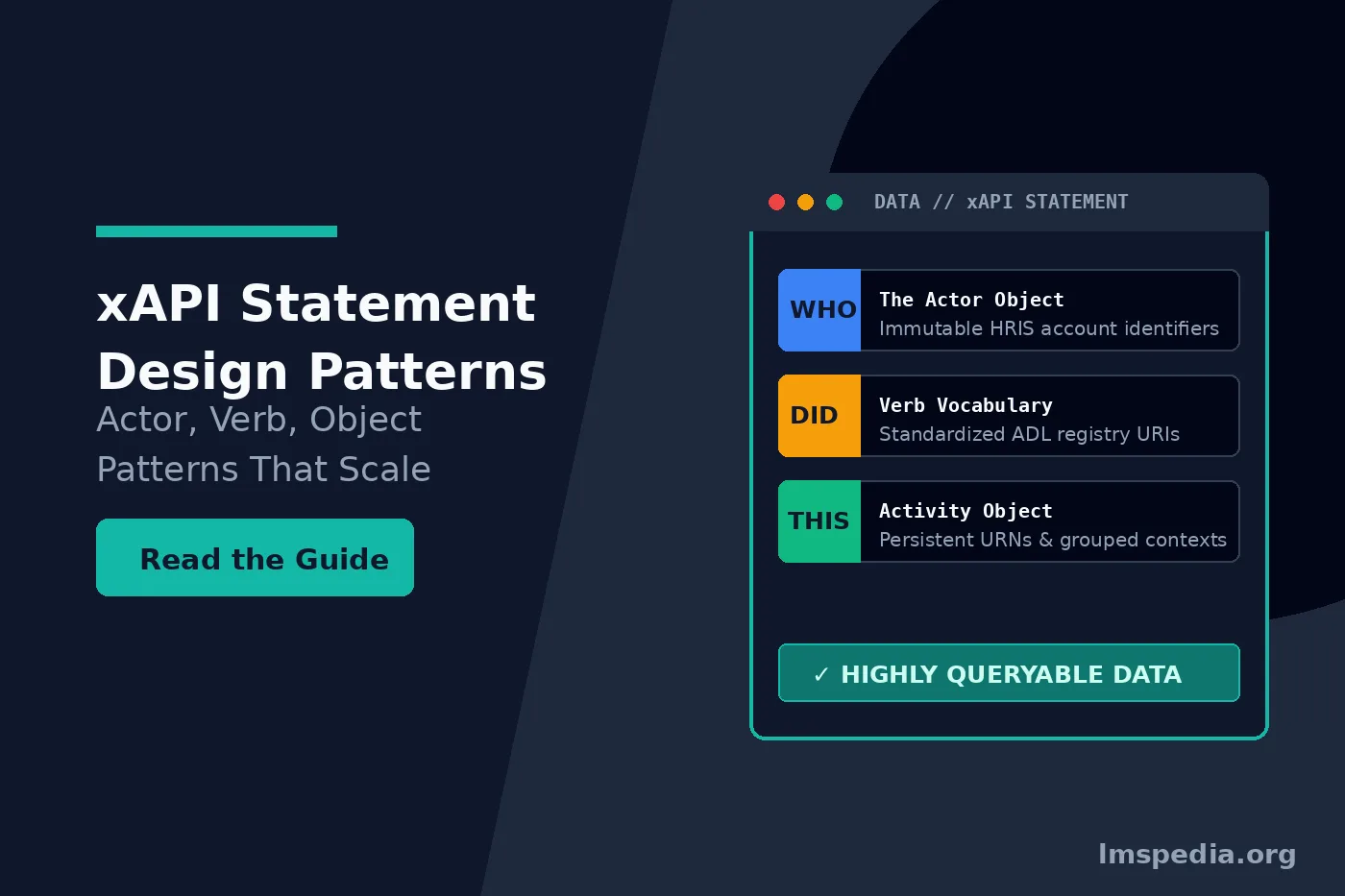
At its core, every xAPI statement is a JSON (JavaScript Object Notation) document that follows a strict grammatical structure based on the Activity Streams specification: I did this (Actor + Verb + Object). While the specification allows for incredible flexibility, true queryability requires discipline. Let’s break down the three mandatory components and the optional (but critical) extensions.
1. The Actor (Who)
The Actor identifies the individual or group performing the action. In xAPI, the Actor is defined by an Inverse Functional Identifier (IFI)—a unique value that corresponds to exactly one person. The two most common IFIs are an email address (`mbox`) or an account ID (`account`).
Design Anti-Pattern: Using personal email addresses (`mbox: mailto:john.doe@gmail.com`). If an employee changes their name or uses a different email across various platforms, your LRS will treat them as multiple distinct actors. This shatters your ability to query a single learner’s complete history.
Queryable Pattern: Use an immutable, universally unique identifier (UUID) generated by your HR Information System (HRIS) or Active Directory, mapped to the `account` object. This ensures identity remains consistent regardless of name changes or department transfers. To understand how identity management impacts data integrity, review our guide on resolving HRIS data syncs issues.
2. The Verb (Did)
The Verb describes the action the Actor performed. This is where most organizations destroy their data’s queryability. In xAPI, a Verb is not just a string of text; it is defined by a unique Uniform Resource Identifier (URI). The URI points to a permanent definition of that verb.
Design Anti-Pattern: Inventing your own URIs (e.g., `http://mycompany.com/verbs/clicked-next-button`). If every team in your organization invents their own verbs, your BI team cannot build standardized dashboards.
Queryable Pattern: Strictly adhere to established registries like the Advanced Distributed Learning (ADL) xapi verb vocabulary. If you want to record a completion, use `http://adlnet.gov/expapi/verbs/completed`. Standardization is the bedrock of cross-platform queryability.
3. The Object (This)
The Object (usually an “Activity”) is the “thing” the Actor interacted with. Like the Verb, the Object is identified by a unique Internationalized Resource Identifier (IRI).
Design Anti-Pattern: Using fragile web URLs as Activity IDs (e.g., `https://lms.company.com/course/12345/page2`). If you migrate to a new LMS or restructure your web directories, that URL changes, and your historical data becomes detached from the new course location.
Queryable Pattern: Use structured, persistent URNs (Uniform Resource Names) or reverse-domain naming conventions that describe the logical asset, not its physical web location (e.g., `urn:uuid:123e4567-e89b-12d3-a456-426614174000` or `http://company.com/xapi/activities/compliance-training-v2`).
Avoid PII in the Object Definition
Never embed Personally Identifiable Information (PII) into the Object ID, Activity Name, or Description. Activity definitions are often cached globally by the LRS. If you send an object named “John Doe’s Performance Review,” that PII may be inadvertently exposed across reporting dashboards. Protect learner privacy by utilizing sterile Activity IDs and adhering to modern LMS security and data privacy standards.
The Secret to Queryability: Context and Result Objects
The basic actor verb object xapi triad tells you *what* happened, but it rarely tells you *why* or *how well*. To build rich, queryable datasets for Tableau or PowerBI, you must heavily utilize the `Result` and `Context` objects.
Designing the Result Object
If the verb implies an outcome (e.g., “answered,” “passed,” “completed”), the `Result` object holds the quantitative metrics. This is where you store scores, durations, and success/completion flags.
- Score: Always use the scaled score (a decimal between -1 and 1) rather than raw scores. A raw score of “80” means nothing if the BI tool doesn’t know the maximum score was 100. Scaled scores allow you to average performance across entirely different assessments.
- Duration: Track time using the ISO 8601 duration format (e.g., `PT1H30M` for 1 hour and 30 minutes).
Designing the Context Object (The Grouping Engine)
The `Context` object is the most powerful tool for xapi data modelling. It allows you to relate a micro-interaction to a macro-learning goal. If an actor answers a single quiz question, how does the LRS know that question belongs to the “Annual Compliance Certification”? You define this in the `Context.ContextActivities.parent` or `grouping` array.
- Parent: The immediate larger container (e.g., the Quiz that contains the Question).
- Grouping: The overarching program (e.g., the Certification Path that contains the Course that contains the Quiz).
By stamping every micro-statement with a overarching `grouping` ID, you can instantly run a query like: “Show me all verbs performed by any actor where the grouping ID equals ‘2026-Compliance-Program’.”
Establishing an xAPI Verb Vocabulary
To prevent data fragmentation, your organization must document and enforce an official xapi verb vocabulary profile. Before launching an xAPI project, create a data dictionary defining exactly which verbs are permitted and under what circumstances they should be triggered.
| Learning Scenario | Approved ADL Verb | Verb URI (The Query Target) | Required Result/Context |
|---|---|---|---|
| Starting a course/video | initialized | http://adlnet.gov/expapi/verbs/initialized |
Context: Grouping (Course ID) |
| Viewing a page/slide | experienced | http://adlnet.gov/expapi/verbs/experienced |
Context: Parent (Module ID) |
| Finishing a non-graded asset | completed | http://adlnet.gov/expapi/verbs/completed |
Result: duration, completion: true |
| Submitting an exam | passed / failed | http://adlnet.gov/expapi/verbs/passed |
Result: score (scaled), success: true/false |
| Answering a question | answered | http://adlnet.gov/expapi/verbs/answered |
Result: response (the actual answer text) |
xAPI Statement Examples: Good vs. Bad Design
Let’s examine how poor xapi statement design breaks reporting, compared to a robust, enterprise-grade architecture.
The Anti-Pattern: A Fragile, Unqueryable Statement
This example represents how many poorly configured rapid-authoring tools output data by default. It uses non-standard verbs, frail identity markers, and lacks contextual relationships.
{
  "actor": {
    "mbox": "mailto:j.doe@example.com"
  },
  "verb": {
    "id": "http://mycompany.com/custom-verbs/finished-test",
    "display": { "en-US": "Finished Test" }
  },
  "object": {
    "id": "https://lms.mycompany.com/module1/quiz.html"
  },
  "result": {
    "raw": 85
  }
}
Why this fails: The actor relies on an email that might change. The verb is a custom invention, meaning standard LRS dashboards will ignore it. The object ID is a web URL; if you move the file, historical reporting breaks. Finally, the raw score of 85 lacks scale—is it 85 out of 100, or 85 out of 850?
The Queryable Pattern: An Enterprise-Grade Statement
This example utilizes proper xapi statement examples architecture. It leverages an HRIS account ID, an official ADL verb, a persistent UUID for the object, scaled scoring, and robust contextual grouping.
{
  "actor": {
    "account": {
      "homePage": "https://hris.mycompany.com",
      "name": "EMP-987654321"
    }
  },
  "verb": {
    "id": "http://adlnet.gov/expapi/verbs/passed",
    "display": { "en-US": "passed" }
  },
  "object": {
    "id": "urn:uuid:a1b2c3d4-e5f6-7a8b-9c0d-123456789012",
    "definition": {
      "type": "http://adlnet.gov/expapi/activities/assessment",
      "name": { "en-US": "Cybersecurity Annual Exam 2026" }
    }
  },
  "result": {
    "score": {
      "scaled": 0.85,
      "raw": 85,
      "min": 0,
      "max": 100
    },
    "success": true,
    "completion": true,
    "duration": "PT45M"
  },
  "context": {
    "contextActivities": {
      "parent": [
        { "id": "urn:uuid:course-cyber-2026" }
      ],
      "grouping": [
        { "id": "urn:uuid:curriculum-annual-compliance" }
      ]
    }
  }
}
Why this succeeds: A BI engineer can easily write a query against the LRS: “Find all ‘passed’ verbs where the grouping equals ‘curriculum-annual-compliance’, and return the average ‘scaled score’ grouped by ‘actor name’.” This data is permanent, mathematically sound, and entirely decoupled from the physical hosting environment.
Validate Before You Push
Never push raw statements from a new data source directly into your production LRS. Always route new event streams through a staging LRS and run them through an official xAPI Statement Validator. A single malformed JSON property (like passing a string instead of an integer for a score) will cause the LRS to reject the statement entirely, resulting in silent data loss.
Managing Data Volume and Storage Costs
One of the hidden dangers of xAPI is “data bloat.” Because xAPI can track *everything*, overzealous instructional designers often configure courses to emit statements for every single mouse click, hover event, and video pause. While capturing a “video paused” statement might seem useful for micro-analytics, generating 50 statements per minute per learner will rapidly consume your LRS storage quotas and degrade query performance.
Effective xapi data modelling requires asking: “What business decision will this data drive?” If you are not actively using “mouse hover” statements to redesign the UI of your course, do not record them. Focus your statement generation on high-value milestones: Initialized, Experienced (for key concepts), Answered, Passed, Failed, and Completed.
Conclusion
Implementing xAPI is a data engineering project masquerading as a learning initiative. The true value of an LRS is not its ability to store data, but its ability to retrieve meaningful insights. By rigorously enforcing xapi statement design protocols, organizations can prevent their learning data from becoming fragmented and useless.
A successful architecture relies on disciplined actor verb object xapi construction: use persistent HRIS identifiers for Actors, strictly enforce a standardized xapi verb vocabulary utilizing official ADL registries, and define Objects using permanent IRIs rather than fragile web URLs. By mastering the Context and Result objects, you provide the critical relational tissue that allows Business Intelligence tools to connect micro-learning interactions to macro-organizational goals. When your xapi data modelling is deliberate and governed, your learning data becomes a highly queryable, deeply valuable enterprise asset.
FAQ
Q1. What is the core structure of an xAPI statement?
The core structure of an xAPI statement is a JSON document built around an “Actor, Verb, Object” (I did this) syntax. The Actor identifies who performed the action, the Verb identifies what action was taken, and the Object identifies the activity or item the action was performed upon.
Q2. Why is it important to use a standardized xAPI verb vocabulary?
Using a standardized verb vocabulary (like the official ADL registry) ensures cross-platform compatibility. If one system uses the verb URI for “completed” and another system invents a custom URI for “finished,” an LRS cannot aggregate those actions into a single query without complex, manual data mapping.
Q3. What is the difference between the Result and Context objects in xAPI?
The Result object stores the quantitative outcome of the action, such as a test score, success status (pass/fail), or duration. The Context object stores relational data, providing background on the event, such as the instructor’s name, the parent course the activity belongs to, or the overarching learning curriculum (grouping).
Q4. How should I identify an Actor in an xAPI statement?
While xAPI allows for email addresses (mbox), best practices dictate using the account object tied to an immutable employee ID from your HR Information System (HRIS). This prevents data fragmentation if an employee changes their name, email, or department.
Q5. Can I include PII (Personally Identifiable Information) in the Object definition?
No. You should strictly avoid putting PII in the Object ID, Activity Name, or Description. Object definitions are often globally cached by the LRS and displayed on shared reporting dashboards. PII should remain securely restricted to the Actor object and controlled via LRS role-based access permissions.

