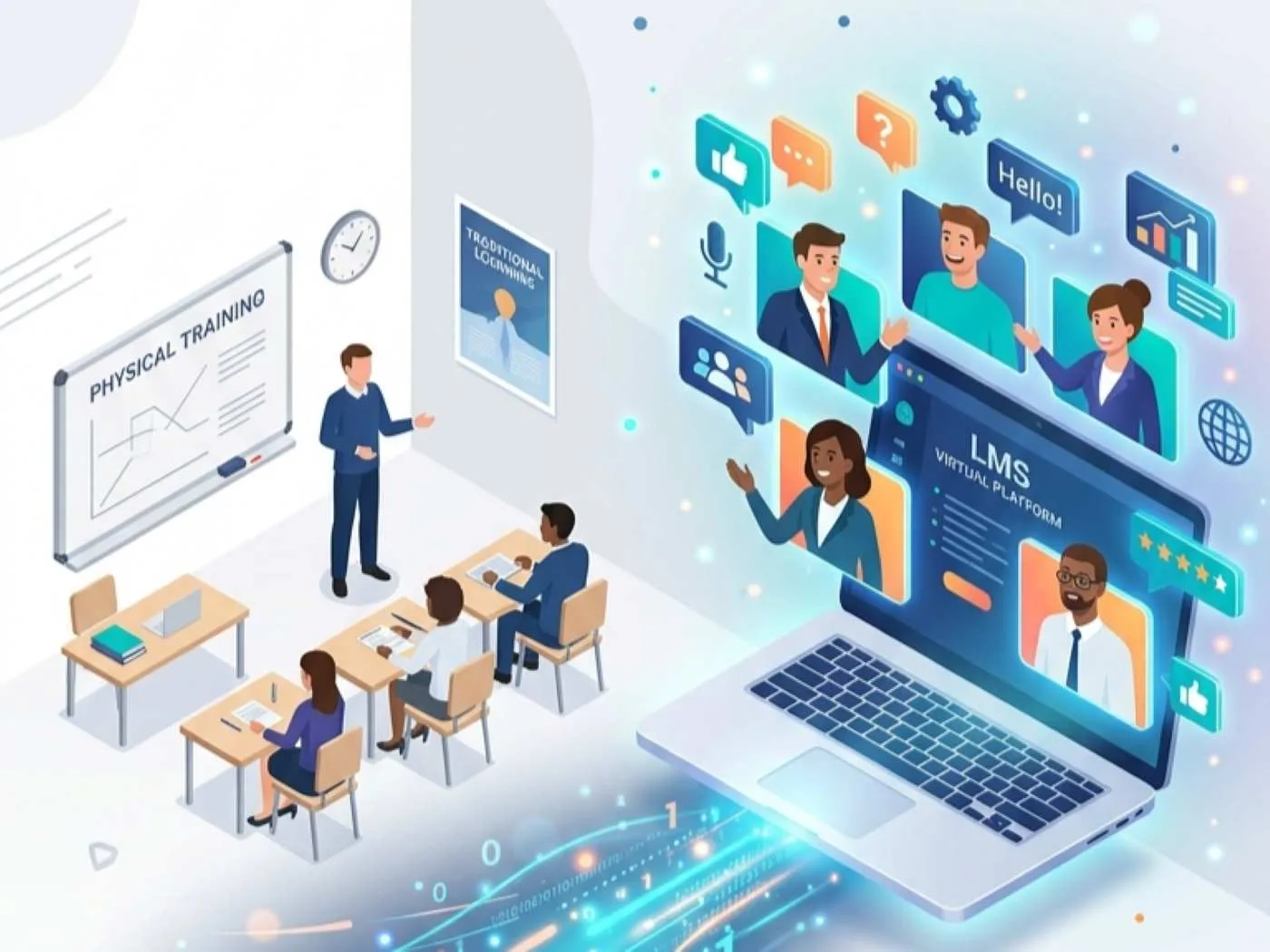
Corporate work models have evolved permanently over the last few years. Traditional Instructor Led Training offers deep human connection. However, hosting physical classroom events is highly expensive. Furthermore, flying employees across the country creates massive logistical headaches. Consequently, modern organizations are aggressively converting ILT to VILT today. This vital strategy reduces travel costs significantly. In addition, it allows you to reach distributed global teams effectively. However, you cannot simply present a static slide deck over a video call. This lazy approach causes catastrophic learner disengagement immediately.
To convert classroom training to virtual environments successfully, you must rethink everything. Instructional designers must redesign the core curriculum structure completely. Furthermore, they must adapt their engagement mechanics and facilitation strategies. In this highly practical guide, we explore how to execute a successful ILT to online training conversion safely. First, we discuss auditing and restructuring legacy classroom materials. Next, we outline interactive virtual facilitation techniques. Finally, we explain how to manage virtual classroom logistics seamlessly. To understand how digital delivery impacts your overall financial strategy, review our analysis. Please read our guide on corporate training budgets 2026 benchmarks. Additionally, for extensive digital learning research, consult the Association for Talent Development.
Key Takeaways

Avoid Direct Translation:
Never deliver a full day physical classroom lecture over a live video call. You must segment long courses into 60 to 90 minute virtual blocks to prevent severe screen fatigue.
Flip the Classroom Model:
Require your remote learners to consume foundational theory asynchronously. They should watch videos prior to the live call, reserving live virtual time strictly for active discussion and role-play exercises.
Enforce Frequent Engagement:
Passive listening destroys virtual learning. You must embed an interactive trigger (like polls, chat prompts, or whiteboards) every three to five minutes to keep virtual learners actively involved.
Utilize Technical Producers:
Pair your lead instructors with dedicated technical producers. The producer handles all software management, breakout rooms, and user troubleshooting during live calls so the trainer can teach.
Automate Virtual Scheduling:
Utilize specialized Training Management Systems to handle the administrative load. These systems manage global time zone conversions, generate secure meeting links, and track attendance automatically.
Understanding the Dangers of Direct Translation
Transitioning from a physical room to a digital screen introduces massive instructional hurdles. In a physical classroom, facilitators read body language very easily. They maintain eye contact and control room dynamics naturally. In contrast, virtual learners face constant digital distractions in their home offices. They battle incoming email notifications and severe screen fatigue daily.
Therefore, attempting to deliver an eight hour physical workshop over a video conference inevitably fails. Your learners will simply mute their microphones and open a different internet tab. Successful initiatives to digitalise ILT courses break lengthy sessions into shorter modules. Understanding how human brains process digital information is absolutely essential. Therefore, review our comprehensive overview of cognitive processes in learning. This knowledge helps you structure highly effective virtual pathways.
Phase One: Segmenting and Restructuring Content
Redesigning a course for virtual delivery requires far more than reformatting slide templates. Instructional designers must execute a structured, highly disciplined conversion strategy.
Breaking Down the Eight Hour Day
First, you must eliminate the traditional full day schedule completely. Virtual learners cannot focus on a screen for eight consecutive hours. Therefore, you must divide lengthy classroom lectures into highly focused virtual blocks. These live digital blocks should last between sixty and ninety minutes maximum. If a complex topic requires four hours of instruction, split it across three different days. Consequently, learners have time to absorb the material and avoid mental exhaustion.
Embracing the Flipped Classroom Model
Furthermore, you must maximize the value of your live virtual time. Do not waste live video time reading basic definitions aloud. Instead, implement a strict flipped classroom approach. Deliver all foundational theory and pre reading assignments asynchronously. Require learners to watch introductory videos before the live session even begins. This strategy reserves valuable live virtual time strictly for interactive discussions. Furthermore, it allows instructors to facilitate complex application exercises and real time coaching.
Phase Two: Designing Frequent Engagement Triggers
In a virtual environment, passive listening leads to immediate disengagement. Therefore, you must force interaction continuously throughout the live session.
The Three Minute Rule for Virtual Delivery
Structure your virtual slide deck to include an interactive engagement trigger frequently. Specifically, you must trigger an interaction every three to five minutes. Do not let the instructor speak uninterrupted for ten minutes. Utilize digital polls, chat box prompts, and whiteboard annotations constantly. Ask a thought provoking question and demand that every participant type an answer in the chat box. This relentless cadence keeps learners actively involved throughout the entire session.
Utilizing Digital Breakout Rooms
Large group discussions often stall completely on corporate video calls. Participants hesitate to speak over one another due to audio delays. Therefore, you must replicate physical table discussions digitally. You achieve this by utilizing digital breakout rooms effectively. Assign these rooms to very small groups of three or four participants. Next, provide clear, timed problem solving prompts. This technique forces active participation and drives deep peer to peer collaboration.
Phase Three: Updating Visual Assets for Screens
Physical classroom slides often fail miserably on small laptop screens. In a physical room, you can project a massive spreadsheet onto a wall. However, that same spreadsheet becomes completely unreadable on a thirteen inch laptop monitor.
Therefore, you must redesign your visual assets entirely for virtual consumption. First, increase your font sizes significantly. Use a minimum font size of twenty four points for all presentation text. Next, reduce the amount of text on every single slide. Use high quality images and simple diagrams instead of bullet points. Furthermore, utilize basic animations to reveal information slowly. This technique prevents learners from reading ahead and ignoring the instructor completely.
Phase Four: Adapting Facilitation Styles
Virtual facilitation requires a completely different skill set than physical stage presentation. An energetic stage speaker might appear incredibly flat and boring on a webcam.
Projecting Energy Through a Lens
Virtual instructors must intentionally amplify their energy levels significantly. They must look directly into the camera lens, not at the faces on their screen. Looking into the lens creates the illusion of direct eye contact with the learner. Furthermore, facilitators must use vocal variety intentionally. They should alter their speaking volume and pacing to emphasize key points. To explore foundational live facilitation principles deeply, review our comprehensive guide on ILT training.
The Crucial Role of the Technical Producer
Facilitating an interactive session while managing breakout rooms is overwhelming for a single instructor. They cannot monitor chat messages and troubleshoot technical issues simultaneously. Therefore, modern virtual learning programs employ technical producers alongside the primary facilitator.
The producer handles all backend technology logistics seamlessly. They launch the digital polls, manage breakout room timers, and resolve participant audio issues quickly. Assigning a technical producer allows the lead instructor to focus entirely on teaching. Consequently, this division of labor ensures exceptionally high educational quality.
Managing Virtual Classrooms with Modern Software
Coordinating virtual schedules across global time zones requires specialized operational technology. Relying on basic calendar invites leads to severe administrative errors.
Commercial training organizations and enterprise departments utilize advanced Training Management Systems. These operational systems automate complex virtual logistics flawlessly. Powerful platforms like SimpliTrain, Arlo, or Docebo integrate directly with web conferencing tools like Zoom. Utilizing platforms like SimpliTrain, Arlo, or Docebo generates unique, secure meeting links automatically. Furthermore, they handle complex global time zone conversions and track real time attendance effortlessly. To review specialized virtual scheduling systems in detail, explore our guide on the best TMS for instructor-led training software.
Diagnosing Gaps Before Virtual Deployment
Before launching your newly converted virtual course, you must verify its relevance. You cannot assume the legacy classroom content still addresses current business needs accurately.
Therefore, you must deploy modern training needs assessment tools before finalizing the curriculum. Survey your remote workforce to identify their exact skill deficiencies today. Consequently, you can tailor the new virtual course to solve immediate, highly relevant business problems. This proactive diagnostic step guarantees vastly higher engagement rates during the live virtual sessions.
Measuring VILT Success and Learning Effectiveness
Evaluating the success of your converted virtual courses requires rigorous data tracking. You must monitor both operational and educational metrics continuously.
First, track attendance rates and session drop off points carefully. If learners consistently leave the webinar after forty minutes, your content is too dry. Furthermore, monitor participant engagement scores across all virtual cohorts. Finally, conduct rigorous pre and post training assessments. This verifies knowledge retention and skill transfer back on the job accurately. Comparing performance data between legacy physical ILT and new VILT courses provides clear evidence of success. To structure your evaluation metrics effectively, implement the framework detailed in our Learning and Development KPIs guide.
Conclusion
Successfully converting your classroom courses enables your learning organization to scale training globally. Furthermore, it significantly reduces travel and operational costs for your business. However, you must avoid lazy direct translation at all costs. By segmenting lengthy lectures into short micro modules, you prevent severe screen fatigue. Embedding continuous engagement triggers and flipping the classroom preserves high educational effectiveness. Additionally, supporting instructors with technical producers guarantees seamless virtual execution. Modernizing legacy classroom curriculums for virtual environments requires intense strategic effort. Ultimately, this effort creates highly flexible, accessible, and high impact learning experiences for today’s distributed workforce.
FAQ
What does converting ILT to VILT actually mean?
It is the strategic instructional design process of redesigning physical, classroom-based instructor-led training (ILT) for highly effective, live delivery in a virtual, web-conferencing environment (VILT).
How long should a virtual ILT session be?
Live virtual sessions should ideally last between 60 and 90 minutes. If you have a massive topic, you should break it into multiple short sessions spaced across several consecutive days.
Why does traditional classroom training fail when moved online unedited?
Long, unedited lectures cause severe screen fatigue and disengagement in virtual settings. Remote learners face constant digital distractions and lack the physical classroom dynamics that normally hold their attention.
What is the specific role of a technical producer in VILT?
A technical producer manages the web conferencing software exclusively. They launch polls, control digital breakout rooms, and resolve participant audio issues, allowing the lead trainer to focus entirely on teaching.
How do you measure learner engagement in a VILT course?
You measure active engagement by tracking chat box activity, digital poll participation rates, and breakout room output. Furthermore, you measure knowledge retention through post-session digital assessments.