
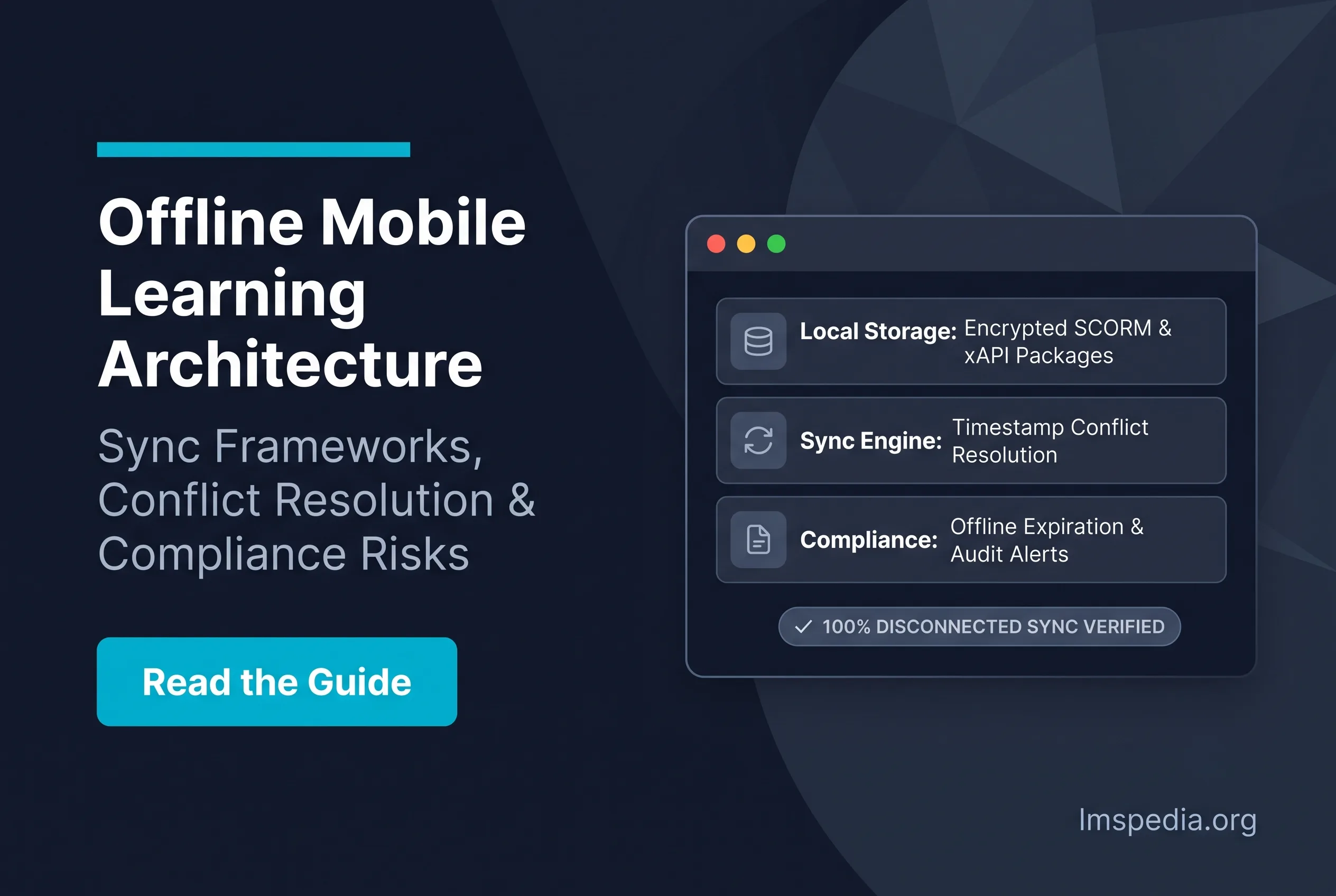
Offline Mobile Learning: Sync Architecture, Conflict Resolution and Compliance Risks
Modern enterprises rely heavily on continuous employee education to maintain operational readiness. Specifically, digital training ensures regulatory compliance and frontline safety across distributed field environments. However, traditional online learning management systems assume learners possess constant internet connectivity. Unfortunately, this foundational assumption fails completely for industrial and deskless workforces. Consequently, organizations must implement robust offline mobile learning solutions to bridge the connectivity divide. Ultimately, these platforms allow personnel to download critical compliance courses securely, complete modules in isolated locations, and synchronize validation data seamlessly when reconnecting. Additionally, learning architects can explore foundational mobile strategies by reviewing our guide on mobile learning LMS feature parity.
Crucially, supporting disconnected operational environments requires intricate backend software architecture. Software engineers must design systems that reconcile severe data synchronization conflicts automatically. Otherwise, organizations risk catastrophic compliance lapses during high-stakes regulatory audits. In this comprehensive guide, we examine the structural mechanics of mobile synchronization pipelines. Furthermore, we outline concrete security practices to protect enterprise learning records from silent data loss.
Key Takeaways

Deskless Workers Require Native Offline Access: Relying exclusively on active Wi-Fi connections alienates crucial frontline workers in construction, healthcare, and aviation.
Encrypted Local Caching Secures Data: Modern offline applications download SCORM and video files directly into a secure, encrypted mobile sandbox to protect proprietary corporate property.
xAPI Transcends SCORM Limitations: Traditional SCORM fails in disconnected environments, whereas xAPI successfully caches distinct learning statements locally and batches them upon reconnection.
Conflict Resolution Algorithms Are Mandatory: Systems must employ strict timestamp logic rules (like “latest action wins”) to automatically resolve discrepancies when a user trains across both desktop and offline mobile devices.
Delayed Syncing Causes Compliance Violations: Prolonged offline periods prevent central databases from recording critical safety certifications, exposing organizations to massive regulatory fines and operational disruptions.
The Growing Demand for Deskless Offline Training
Historically, enterprise digital learning catered almost exclusively to corporate knowledge workers. Today, heavy industries like mining, maritime shipping, and defense require identical instructional access for frontline personnel. Therefore, delivering resilient deskless offline training has become an absolute operational necessity. Ignoring this distributed workforce introduces severe vulnerabilities into core operations.
Furthermore, failing to deliver timely training to frontline personnel generates severe legal liabilities. Specifically, government agencies mandate immediate completion of specialized hazard briefings prior to work assignment. Consequently, if a field technician cannot access digital learning modules, the operating company risks substantial financial fines. For definitive federal workplace safety standards, consult the Occupational Safety and Health Administration (OSHA) training requirements. Ultimately, closing this connectivity gap protects employee safety and organizational continuity.
Aviation and Maritime Environments
First, commercial aviation technicians routinely work inside reinforced concrete maintenance hangars. Consequently, these dense structural barriers block commercial cellular signals completely. Furthermore, industrial Wi-Fi networks rarely reach distant flight lines or remote airport aprons. Therefore, providing digital maintenance manuals requires exceptionally stable offline mobile applications. Specifically, mechanics must download complex airframe schematics and procedural courses before entering isolated work zones.
Similarly, maritime cargo operations present identical digital communication challenges. Commercial vessels regularly spend weeks navigating isolated oceanic shipping lanes without terrestrial connectivity. Obviously, satellite data connections remain far too costly for continuous multimedia video streaming. Therefore, offshore fleet operators depend entirely on local content caching and automated queue synchronization. Ultimately, this autonomous capability ensures international maritime certifications remain current without interruption.
Healthcare and Emergency Logistics
Next, emergency medical personnel encounter frequent cellular dead zones during standard operations. Specifically, metropolitan hospital campuses incorporate heavy lead shielding around diagnostic radiology units. Consequently, clinical staff frequently drop wireless connections while transitioning between acute patient wards. However, practitioners still require immediate access to operational equipment microlearning.
Therefore, hospital technical teams must deploy offline-capable mobile performance libraries. Furthermore, traveling home healthcare nurses navigate deep rural territories daily. Often, these remote geographies lack cellular communication infrastructure altogether. Ultimately, offline client storage empowers traveling clinicians to complete mandatory infection control certifications on schedule. Consequently, this continuous access prevents dangerous gaps in critical patient care knowledge.
Automate Cache Purging
Configure local device databases to purge heavy media files automatically once verification receipts sync to central servers, preserving critical mobile storage.
Understanding LMS Offline Sync Architecture
Architecting an enterprise-grade offline learning application requires disciplined engineering. First, the overarching system must download large multimedia assets securely to mobile hardware. Next, the lms offline sync architecture must track granular learner interactions within a local runtime engine. Ultimately, this requires a hardened, encrypted client database residing directly on the operating device.
Furthermore, training administrators must control exactly which curriculum packages users can download. Specifically, downloading an entire corporate library would instantly overwhelm user device storage quotas. Therefore, mobile sync architectures must enforce targeted, role-based download packages. Ultimately, intelligent content curation conserves mobile memory and device battery life.
Data Caching and Local Storage
Specifically, when a mobile device establishes a trusted network connection, the client software downloads assigned instructional packages. Then, the application isolates these files within an operating system application sandbox. Crucially, sandboxing prevents unauthorized system users from extracting proprietary intellectual property or confidential company videos. Moreover, the mobile application leverages an embedded relational engine to record assessment attempts and timing metrics.
Additionally, this local data cache must withstand sudden mobile operating system crashes. Therefore, engineers utilize persistent transactional storage protocols to protect uncommitted tracking records. If the client application abruptly terminates, un-synced learner actions remain preserved in flash storage. To examine complementary operational infrastructure, review our evaluation of the best training management software.
Military-Grade Encryption Standards
Undoubtedly, storing proprietary corporate data on distributed devices introduces acute cybersecurity vulnerabilities. First, malicious actors could access an unencrypted mobile device directly to extract trade secrets. Therefore, developers must implement AES-256 cryptographic standards across all local file stores. Specifically, cached training modules must remain entirely unreadable outside the authenticated application shell.
Furthermore, the mobile application must execute an automated data purge if an employee leaves the company. Consequently, modern identity platforms dispatch remote cryptographic wipe instructions the moment credentials terminate. Ultimately, this rigorous endpoint defense satisfies strict enterprise cybersecurity controls. Neglecting local database encryption exposes corporations to severe regulatory data breaches.
Mobile Sync Conflict Resolution Mechanisms
Inevitably, disconnected field computing introduces complex state synchronization challenges. For instance, an engineer might launch a safety module on an office desktop workstation. Later, the same employee might complete the course on an offline tablet while working remotely. Consequently, when the mobile device eventually reconnects to the network, the central database receives conflicting completion states.
Therefore, enterprise learning platforms require hardened mobile sync conflict resolution logic. Without deterministic reconciliation rules, administrative databases suffer data corruption quickly. Specifically, training managers would waste hundreds of administrative hours reconciling contradictory learner transcripts. Ultimately, robust automated conflict resolution preserves data integrity across the global enterprise.
Timestamp Tracking and Rule Engines
To resolve transactional disputes, software architectures utilize strict millisecond-level timestamp logging. First, the local database attaches UTC timestamps to every single learner action. Next, the synchronization engine compares local device events against the canonical server state. Typically, platforms apply a deterministic “latest action wins” rule to resolve straightforward progress discrepancies.
Alternatively, mandatory regulatory certifications frequently enforce a “highest score achieved” evaluation rule. Consequently, if an offline assessment score surpasses a previous desktop score, the server ratifies the higher mark. Ultimately, automated rule execution eliminates manual reconciliation efforts entirely. Flawless transactional resolution maintains complete transparency between frontline personnel and compliance officers.
Implement Deterministic Conflict Priority
Configure synchronization engines to validate device time drift against network NTP servers during check-in to prevent manipulated local timestamps from bypassing compliance windows.
Handling Multi-Device Collisions
Furthermore, modern employees switch between diverse corporate and personal hardware continuously. For example, a supervisor might utilize a ruggedized field tablet alongside a corporate smartphone. Consequently, the user might trigger simultaneous synchronization requests from disparate network endpoints. Therefore, central API gateways must queue incoming payloads sequentially.
Specifically, the backend synchronization broker throttles high-volume mobile requests during peak operational shifts. Then, it unpacks each transactional payload within an isolated processing thread to prevent database deadlocks. Ultimately, distributed queue managers ensure central servers process burst traffic smoothly. Consequently, mobile learners experience immediate transcript updates without system errors.
Offline Course Completion Tracking Challenges
Historically, tracking digital course completion required continuous, uninterrupted server communication. Specifically, traditional web courses dispatch real-time heartbeat pings to the host server every few seconds. Obviously, this synchronous communication model breaks down instantly within disconnected environments. Consequently, modern offline course completion tracking demands modern architectural communication standards.
Therefore, legacy digital training formats frequently fail when forced into disconnected operations. Specifically, older course packages freeze entirely the moment browser network calls drop. Organizations must discard obsolete technical packaging to support deskless workforces successfully. Clinging to outdated specifications results in lost completions and frustrated operational personnel.
The Severe Limitations of SCORM
Initially, the SCORM specification established critical technical interoperability across desktop learning systems. However, systems engineers developed SCORM specifically for persistent local area network connections. Consequently, the standard completely lacks native mechanisms for offline caching and delayed state transmission. Therefore, forcing SCORM modules to operate offline requires fragile, proprietary browser workarounds.
Furthermore, these legacy workarounds fail frequently under modern mobile operating systems. Specifically, mobile browsers aggressively terminate background processes to conserve battery life. Ultimately, aggressive memory reclamation destroys un-synced SCORM runtime variables permanently. Consequently, learners must repeat lengthy compliance courses from the beginning, damaging operational productivity.
xAPI and Offline Statements
Fortunately, the Experience API (xAPI) architecture resolves disconnected tracking hurdles cleanly. Specifically, xAPI formats learner interactions as lightweight, independent JSON event statements. Instead of demanding a persistent connection, the native mobile client stores these statements locally. Subsequently, when the device discovers an authorized network connection, it uploads the statement batch securely.
Specifically, the mobile client transmits these validated records to a central Learning Record Store. For foundational architectural specifications, explore the official xAPI technical overview documentation. Ultimately, adopting xAPI eliminates data loss across disconnected training pipelines. Indeed, modern event-based specifications represent the industry standard for offline mobile learning tracking.
Backend Data Optimization and Payload Management
Furthermore, the statement synchronization pipeline must function smoothly over unstable cellular networks. Therefore, enterprise infrastructure architects must monitor network payload sizes closely to avoid connection timeouts. Specifically, oversized bulk transmissions fail consistently across degraded satellite or 3G networks. To streamline these data pipelines, technical teams can consult our guide on LMS reporting and data exports.
First, the client application must compress stored JSON payloads before initiating transmission. Specifically, dynamic compression reduces total megabytes transferred across metered connections significantly. Consequently, this optimization preserves cellular data plans for remote employees. Furthermore, the client sync logic should transmit high-priority completion events before synchronizing non-critical analytical telemetry.
Ultimately, intelligent payload prioritization ensures vital certification records reach central servers first. Therefore, even if a remote connection drops mid-transfer, critical compliance validations survive. Granular payload optimization proves essential for maintaining compliance across remote industrial sites.
Compliance Risks in Disconnected Environments
Undoubtedly, executing compliance training within disconnected environments introduces significant organizational risks. For example, an offshore technician might pass an essential safety certification while completely offline. However, if the device remains disconnected for multiple weeks, the central administrative database flags the worker as non-compliant. Consequently, automated scheduling engines might erroneously bar a qualified professional from active job sites.
Therefore, offline architectures inherently create visibility gaps for compliance managers. Specifically, safety auditors cannot confirm true completion status until the physical hardware reconnects. Ultimately, data latency complicates strict statutory reporting timelines. Organizations must establish clear administrative policies governing routine mobile device synchronization.
Mitigating Audit Failures
To eliminate compliance blind spots, administrators must enforce mandatory synchronization windows. Specifically, mobile applications should display prominent countdown warnings when devices approach synchronization limits. Furthermore, automated notifications must alert operational managers if a field device remains disconnected past policy thresholds. Ultimately, disciplined monitoring ensures organizational records satisfy unannounced safety audits.
Additionally, statutory data protection mandates dictate how personal records must be stored on distributed hardware. Specifically, caching employee training performance locally triggers strict regulatory obligations under European privacy laws. To understand international privacy frameworks, consult the International Association of Privacy Professionals (IAPP). Consequently, corporate legal teams must audit offline client architectures thoroughly.
Enforce Hardware Sandbox Wipes
Configure enterprise MDM profiles to revoke device access certificates automatically if an endpoint fails to check in after 30 consecutive calendar days.
BYOD Security Vulnerabilities
Increasingly, enterprises allow staff to complete compliance training on personal mobile devices. However, this Bring Your Own Device (BYOD) framework introduces complicated security variables. First, corporate IT departments lack complete visibility into the security configurations of personal hardware. Consequently, an unpatched personal phone could expose cached internal training manuals to malicious applications.
Therefore, the native learning container must execute inside an isolated mobile application sandbox. Specifically, the software should restrict screen-capture utilities and block external clipboard operations. Ultimately, protecting sensitive content on unmanaged endpoints demands rigorous application self-protection mechanisms. Thorough vulnerability assessments remain mandatory across all BYOD mobile deployments.
Enterprise IT Integration and MDM
Crucially, distributing an enterprise offline learning platform to thousands of workers requires automated device orchestration. Specifically, manual installation processes prove unworkable across global field organizations. Therefore, enterprise IT teams utilize Mobile Device Management (MDM) platforms to automate application distribution. Ultimately, enterprise deployment ensures every worker receives validated, cryptographically signed client software.
First, managing software version parity across a disconnected device fleet presents substantial challenges. Specifically, a deprecated client build might transmit incompatible data formats to updated central APIs. Consequently, MDM systems forcefully distribute required application binaries whenever a device reconnects. Furthermore, central API endpoints must reject synchronization payloads originated by deprecated software builds.
Ultimately, strict version enforcement protects the central compliance database from structural schema conflicts. Therefore, IT administrators must align application updates carefully around active operational schedules. Seamless version control guarantees uninterrupted educational access for vital deskless workforces.
Benchmarking Mobile LMS Platforms
Evaluating enterprise platforms requires rigorous validation of offline synchronization engines. Specifically, technical procurement teams must verify how gracefully software handles abrupt network interruptions. Therefore, evaluators should bypass surface-level marketing demonstrations and benchmark live transaction queues directly. For an expanded industry analysis, explore our directory of the best mobile LMS platforms.
Ultimately, selecting an appropriate software platform determines the long-term success of your mobile compliance strategy. Furthermore, connecting mobile learning platforms with central human resources databases demands robust security models. To configure administrative controls correctly, review our analysis on how to establish secure LMS user roles and permissions. Proper authorization design protects sensitive employee compliance records permanently.
Conclusion
Deploying resilient offline mobile learning infrastructure has become an operational imperative for distributed industrial organizations. Modern enterprises cannot afford compliance blind spots caused by intermittent field connectivity. By investing in dedicated offline architectures, organizations bridge the educational divide separating office personnel from frontline teams. Proactively addressing connectivity limitations safeguards workplace safety and protects corporate operations.
Implementing modern Experience API standards alongside robust local database encryption eliminates common progress tracking failures completely. Furthermore, enforcing mathematical conflict resolution engines ensures that central compliance databases retain pristine audit-ready records. As global field operations expand into ever more remote regions, robust offline computing models will dictate operational compliance success. Ultimately, equipping frontline workers with dependable offline educational tools ensures continuous organizational compliance and safe operations everywhere.
FAQ
Q1. Why is offline mobile learning critical for corporate training?
Primarily, millions of global employees operate in environments completely devoid of stable internet connections. For example, maritime workers, underground miners, and remote sales teams cannot stream video content. Therefore, offline learning allows these deskless workers to download necessary compliance materials and complete their mandated training without geographical restrictions.
Q2. How does an LMS track course completion without an internet connection?
Technically, the mobile application caches the user interaction data directly within the local storage of the smartphone. Specifically, modern systems utilize the Experience API (xAPI) to generate localized learning statements during offline play. Subsequently, the moment the device reconnects to a stable network, it pushes this cached data package securely to the central Learning Record Store.
Q3. What happens if a user completes the same course on a desktop and an offline mobile device?
Inevitably, this creates a data collision when the mobile device finally syncs. To resolve this, the LMS relies on mobile sync conflict resolution algorithms. Typically, the system evaluates the timestamp of every action and applies a strict mathematical rule. Consequently, the system automatically accepts the most recent action or the highest assessment score, ensuring accurate transcript consolidation.
Q4. Are there security risks with downloading corporate training to personal mobile devices?
Undoubtedly, allowing employees to download proprietary content introduces data leakage risks. However, enterprise-grade mobile learning applications mitigate this threat by utilizing heavily encrypted sandboxes. Consequently, the downloaded video files and SCORM packages remain completely inaccessible to the native file browser of the phone, preventing unauthorized sharing or extraction.
Q5. How do delayed mobile syncs impact regulatory compliance?
Crucially, an organization cannot legally prove compliance until the training data registers in the central server. Therefore, if an employee finishes a critical OSHA safety module offline but fails to sync their device, the organization remains legally vulnerable. Ultimately, administrators must enforce strict sync deadlines and configure automated managerial alerts to prevent these dangerous data gaps.

