
📍 Independent. Unsponsored. Reliable.
A complete 5-phase Training Needs Analysis template for HR managers, L&D professionals, and team leaders. Free, instant Word download.
Instant .docx download · Compatible with Google Docs · No watermarks
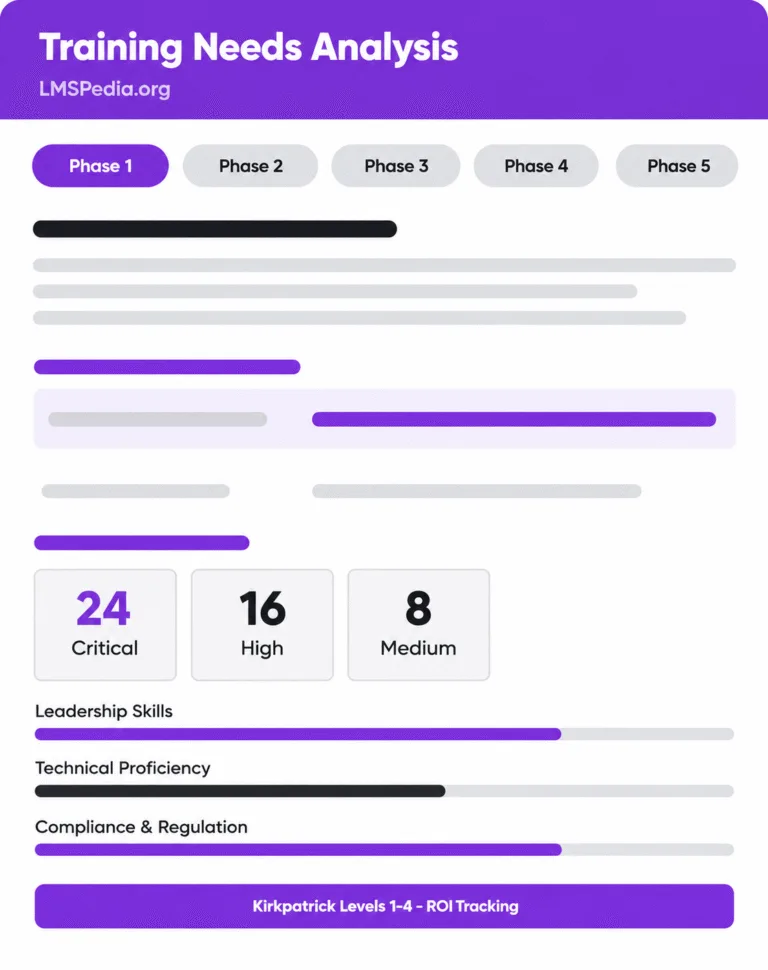
The Foundation
A training needs analysis is a systematic process used to identify the gap between the skills and knowledge employees currently have, and the skills and knowledge they need to perform their roles effectively.
It is also referred to as a training needs assessment, a learning needs assessment, or simply TNA. The goal is not just to find gaps; it is to understand why those gaps exist, how much they are costing the business, and what the most effective response is.
The question every TNA must answer
“Where are the skill, knowledge, and behaviour gaps that are holding our people and our business back? And what do we do about them?”
A complete training needs analysis operates at three levels simultaneously:
Company-wide goals, compliance obligations, and strategic shifts: the business context that makes training non-negotiable
Competencies required per role versus current team proficiency — where the standard meets reality
Each employee's skill gaps identified through self-assessment, manager feedback, and performance data
TNA vs Training Needs Assessment: These terms are used interchangeably in practice. Technically, an assessment identifies that a gap exists; an analysis diagnoses the root cause. The LMSPedia template covers both stages end to end.
The Business Case
Running a training programme without a training needs assessment is like prescribing medication without a diagnosis.
The average organisation spends 1–3% of payroll on training. Without a TNA, a significant portion is directed at programmes employees do not actually need. A training needs assessment uses data from performance reviews, LMS records, compliance audits, and surveys to surface only the gaps that matter.
A training needs analysis forces every training recommendation to map back to a specific business objective, reducing customer churn, accelerating onboarding, achieving regulatory compliance, or preparing teams for a new system rollout. Section 1 of the LMSPedia template anchors your TNA to strategic goals before you assess a single skill.
Not every skill gap requires an urgent response. The gap prioritisation matrix in the LMSPedia template scores every identified gap on impact and urgency. Multiply those two scores and you get a clear, objective priority ranking. No more decisions based on who lobbied the hardest.
Training budgets are among the first to be cut under financial pressure. A structured training needs assessment report changes that conversation. When you arrive with a documented skills gap register, a prioritised training roadmap, and a clear line from each intervention to a business KPI, you are making a data-driven investment case, not a wish list.
Without a TNA baseline, there is nothing to measure against. You cannot prove ROI if you did not define success at the start. The LMSPedia template captures current proficiency levels for every identified gap before training begins. After delivery, you re-assess against those baselines, giving you the before-and-after data needed to evaluate effectiveness and demonstrate the value of your L&D investment.
Instant Word (.docx) download. No account required. No watermarks. 100% free.
Works in Word, Google Docs & LibreOffice
Template Contents
A training needs analysis is not a single event; it is a structured lifecycle. Here is how the LMSPedia TNA template guides you through each phase.
Before assessing a single skill, you need to understand the business environment your TNA is operating in. Getting this phase right is the difference between a training needs analysis that influences real decisions and one that sits in a shared drive untouched.
Output: Completed organisational overview, stakeholder register, and business goals register with linked KPIs
This phase defines what good performance looks like for every role in scope. You cannot identify a gap without first defining the standard, this is where many organisations fail.
Output: Role-competency matrix with required proficiency levels documented for all roles in scope
This is the analytical engine of the TNA. You collect data through multiple sources, compare current proficiency against required levels, and build a ranked, evidence-based list of training needs.
Output: Completed skills gap register with priority scores and root cause analysis for each identified gap
With a prioritised gap register in hand, you match each training need to the most appropriate intervention. Not every gap requires a formal training programme.
Output: Prioritised training solutions register with timelines, budget estimates, and assigned ownership
Most organisations skip evaluation entirely, which means they cannot prove whether training worked. This phase sets out evaluation criteria aligned to the Kirkpatrick model and closes the loop for continuous improvement.
Output: Evaluation plan with Kirkpatrick-level criteria, ROI fields, and a continuous improvement log
| Format | Compatible With | Includes | Sectors | Cost | Watermarks |
|---|---|---|---|---|---|
| Microsoft Word (.docx) | Word, Google Docs, LibreOffice | Gap register, survey, roadmap, evaluation planner | Any industry: fully editable | 100% Free | None |
Step by Step
Work through each section in order. Sections marked with ★ are essential even under time pressure.
Complete the organisation details, the trigger for this TNA, and the business goals you need training to support. Everything else in the document should be traceable back to at least one of these goals.
Fill in the stakeholder register and use the pre-written interview questions to gather qualitative input from managers and department heads. Record responses in the table for a documented evidence trail.
Complete the organisation details, the trigger for this TNA, and the business goals you need training to support. Everything else in the document should be traceable back to at least one of these goals.
Define the required proficiency level for every role in scope across all relevant competencies using the 0–5 scale consistently. This baseline is what you measure every gap against.
Use the checklist to select your data collection methods, then document every identified gap in the skills gap register. Assign a root cause, gap type, and the number of employees affected for each one.
Use the impact-and-urgency matrix to generate a priority score for every gap. This is where your training needs analysis becomes a decision-making tool, not just a list of observations.
Share via your LMS, Microsoft Forms, Google Forms, or printed copies. Feed responses back into your gap register to enrich the data and give employees a voice in the process.
Match each prioritised gap to the most effective intervention, assign an owner, timeline, and budget. Then set your evaluation criteria before training begins: not after.
If you are short on time, focus on
Sections 1, 3, 4, and 6
as your minimum viable TNA. These four sections alone will give you a prioritised, evidence-backed training plan. Add Sections 2, 5, and 7 when you have capacity for a full organisational training needs analysis.
Avoid These Pitfalls
Even experienced L&D professionals fall into these traps. Knowing them in advance means your training needs analysis produces results instead of reports.
The most common TNA mistake is already knowing the answer before the analysis begins. A manager requests leadership training. HR books the course. Nobody asks whether leadership is the actual gap. A structured training needs analysis template forces you to collect data first and form recommendations second.
Employee self-assessment surveys are valuable, but they only give one perspective. People tend to overestimate their own proficiency in areas where they are underperforming. A complete training needs assessment triangulates data from multiple sources: employee surveys, manager feedback, performance records, LMS data, and compliance reports.
Identifying twenty-five skill gaps is easy. Knowing which three to address this quarter is hard. Without a formal prioritisation method like the impact-and-urgency matrix in the LMSPedia template, L&D teams end up in a reactive cycle — chasing the most recently complained-about gap rather than the most strategically important one.
A training needs analysis report that does not reference business objectives will not survive a budget review. Every gap you identify, and every programme you recommend, must connect to a metric that business leadership cares about. This is how L&D earns and retains its seat at the strategy table.
A training needs assessment is not an annual tick-box exercise. The best L&D teams use a continuous process: assess, train, evaluate, re-assess. The evaluation and improvement section of the LMSPedia template is designed for exactly this purpose — use it to close the loop and feed insights back into your next training needs analysis cycle.
Step-by-Step Process
Built for anyone responsible for identifying training needs and designing a learning strategy that performs: across roles and industries.
Built for anyone responsible for identifying training needs and designing a learning strategy that performs: across roles and industries.
Avoid These Pitfalls
The LMSPedia Training Needs Analysis Template gives your L&D team a clear, structured, 5-phase process to identify skill gaps, prioritise training, and prove ROI. Free, instantly, with no account required.
Microsoft Word (.docx) · Google Docs compatible · No watermarks · No subscription
Common Questions
Training needs analysis and training needs assessment are used interchangeably by most practitioners. Technically, an assessment identifies that a gap exists while an analysis diagnoses the root cause and recommends an intervention. The LMSPedia template covers both stages: it helps you identify gaps and understand why they exist so you can prescribe the right training solution.
A focused TNA for a single department typically takes two to four weeks when stakeholders are available and data is accessible. An organisation-wide training needs assessment may take six to twelve weeks depending on headcount, data collection methods, and internal approval cycles. Using the LMSPedia template eliminates setup time so your team can focus on analysis, not document design.
The three levels are: (1) Organisational analysis, which aligns training to company-wide strategy and compliance requirements; (2) Task or job role analysis, which defines the competencies required per role; and (3) Individual analysis, which assesses each employee’s current skill level against the required standard. A complete training needs analysis addresses all three levels for accurate, actionable results.
The most effective training needs assessment methods include employee self-assessment surveys, 360-degree and manager feedback, performance review data, LMS completion and assessment records, compliance and audit reports, observation and job shadowing, focus groups, and structured stakeholder interviews. The LMSPedia template includes a data collection checklist and a ready-to-use employee self-assessment survey covering all major competency areas.
Yes. The competency framework section is fully customisable. You can rename, add, or remove competency columns to match any industry’s requirements, whether that is clinical compliance in healthcare, cybersecurity skills in IT, or safety regulations in manufacturing. The rest of the template structure remains the same regardless of sector.
A skills gap analysis is one component within a broader training needs analysis. It compares current employee proficiency against the required level for each role and documents the gaps. The training needs analysis then goes further: it identifies the root cause of each gap, scores gaps by priority, and recommends the most appropriate intervention, whether that is training, coaching, a job aid, or a process change.
The LMSPedia template is provided as a Microsoft Word (.docx) file, the most flexible format for editing, branding, and sharing. It is fully compatible with Google Docs and LibreOffice at no cost. Once complete, you can save or export it as a PDF for stakeholder distribution. Additional formats including an Excel-based skills matrix template are available at lmspedia.org.
The LMSPedia template includes a Gap Prioritisation Matrix where you score each gap on Impact (1–5) and Urgency (1–5), then multiply the two scores. A priority score of 20–25 is critical and requires immediate resourcing. Scores of 12–19 are high priority for the next training cycle. Scores below 6 can be scheduled into your annual plan when budget and capacity allow.
Yes. While this Word template is designed for manual analysis, we also offer an Interactive TNA Tool that generates proficiency gaps, training roadmaps, and stakeholder reports automatically.
Thank you! If the download does not start automatically, use the button below.
Looking for a faster way? Try our Interactive TNA Tool for automated reports and skills gap analysis.
Check your email for future L&D resources from LMSPedia.org.
Enter your details and your download begins immediately.